The Amazon Fire TV Stick is the most popular way to watch IPTV. This guide explains what makes the best IPTV for Firestick, which IPTV apps work best on it, and how to get CatchON TV running in about five minutes.
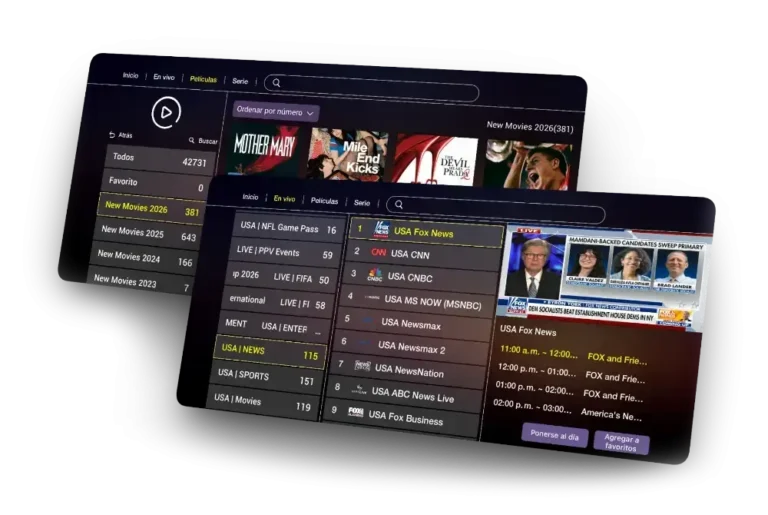
Quick answer: The best IPTV for Firestick combines a stable service with a good player app. CatchON TV works on every Fire TV Stick and Fire TV device with players such as IPTV Smarters Pro and TiviMate, giving you 18,000+ live channels and 140,000+ movies and series from $15 a month, with no contract and no automatic renewal.
A Fire TV Stick has limited memory and usually runs on Wi-Fi, so not every IPTV service performs well on it. Look for these five things:
The IPTV service gives you channels; the app is how you watch them. These are the best IPTV apps for Firestick and how they compare:
| App | Best for | Price | Guide |
|---|---|---|---|
| IPTV Smarters Pro | Beginners, all-in-one live TV, movies and series | Free | Smarters setup |
| TiviMate | A cable-style TV guide and catch-up | Free, premium upgrade available | TiviMate setup |
| IBO Player Pro | Using the same app on Firestick and Smart TV | Paid activation after trial | IBO setup |
| Kodi | Advanced users who like customising | Free | Kodi setup |
Our pick: start with IPTV Smarters Pro if you want something simple, or TiviMate if you watch mostly live TV and want the best guide on Firestick. You can find download links on our IPTV apps download page.
The full walkthrough with screenshots is in our Firestick setup guide. In short:
The Firestick apps above are free or low-cost. Your main cost is the IPTV subscription. CatchON TV costs $15 for one month, $36 for three months, $55 for six months or $75 for twelve months on one device, about $6.25 per month on the yearly plan. Plans for 2 to 5 Firesticks are on the CatchON TV subscription pricing page.
IPTV Smarters Pro is the easiest IPTV app for Firestick, and TiviMate has the best TV guide for live channels. Both work with a CatchON TV Xtream Codes login.
Yes. CatchON TV works on Fire TV Stick Lite, Fire TV Stick, Fire TV Stick 4K, 4K Max, Fire TV Cube and Fire TV Smart TVs. Newer models give the smoothest performance.
The IPTV player apps can be free, but they do not include channels. You still need an IPTV subscription such as CatchON TV, which starts at $15 for one month.
Buffering on a Firestick usually comes from weak Wi-Fi, a full app cache or an older device. Use an Ethernet adapter, clear the cache and keep at least 15 Mbps per screen for HD.
CatchON TV plans cover 1 to 5 devices watching at the same time. Choose the number of devices when you order.
 CatchONTV